1.入门
练习题
1.1
package main
import (
"fmt"
"os"
)
func main() {
fmt.Println(os.Args)
}
sy1_1# go build -o a.out
sy1_1# ./a.out arg1 arg2 arg3
[./a.out arg1 arg2 arg3]
1.2
package main
import (
"fmt"
"os"
)
func main() {
for idx, value := range os.Args {
fmt.Println(idx, value)
}
}
sy1_2# ./a.out arg1 arg2 arg3
0 ./a.out
1 arg1
2 arg2
3 arg3
1.3
package main
import (
"os"
"fmt"
"time"
"strings"
)
func main() {
start1 := time.Now()
str, sep := "", ""
for _, arg := range os.Args {
str += sep + arg
sep = " "
}
fmt.Println(str)
fmt.Printf("old way: %dns elapsed\n", time.Since(start1).Nanoseconds())
start2 := time.Now()
fmt.Println(strings.Join(os.Args, " "))
fmt.Printf("new way: %dns elapsed\n", time.Since(start2).Nanoseconds())
}
sy1_3# go build -o a.out
sy1_3# ./a.out arg1 arg2 arg3
./a.out arg1 arg2 arg3
old way: 113583ns elapsed
./a.out arg1 arg2 arg3
new way: 2584ns elapsed
1.4
package main
import (
"bufio"
"fmt"
"os"
)
type MyCount struct {
count int
names []string
}
func main() {
counts := make(map[string]*MyCount)
files := os.Args[1:]
if len(files) == 0 {
countLines(os.Stdin, counts)
} else {
for _, arg := range files {
f, err := os.Open(arg)
if err != nil {
fmt.Fprintf(os.Stderr, "dup2: %v\n", err)
continue
}
countLines(f, counts)
f.Close()
}
}
printLines(counts, len(files) != 0)
}
func countLines(f *os.File, counts map[string]*MyCount) {
input := bufio.NewScanner(f)
for input.Scan() {
line := input.Text()
if _, ok := counts[line]; ok {
counts[line].count++;
if !contains(counts[line].names, f.Name()) {
counts[line].names = append(counts[line].names, f.Name())
}
} else {
counts[line] = &MyCount{
1,
make([]string, 1), // 空的字符串数组
}
counts[line].names[0] = f.Name()
}
}
}
func printLines(counts map[string]*MyCount, flagFile bool) {
for line, c := range counts {
if c.count > 1 {
if flagFile {
fmt.Printf("%d\t%s\t%v\n", c.count, line, c.names)
} else {
fmt.Printf("%d\t%s\n", c.count, line)
}
}
}
}
func contains(slice []string, s string) bool {
for _, value := range slice {
if value == s {
return true
}
}
return false
}
sy1_4# cat test1.txt
b
b
c
sy1_4# cat test2.txt
a
a
b
b
b
c
sy1_4# ./a.out test1.txt test2.txt
2       c       [test1.txt test2.txt]
2       a       [test2.txt]
5       b       [test1.txt test2.txt]
1.5
package main
import (
"image"
"image/color"
"image/gif"
"io"
"math"
"math/rand"
"os"
"time"
)
var palette = []color.Color{color.White, color.Black, color.RGBA{0x00, 0xff, 0x00, 0xff}}
const (
whiteIndex = 0
blackIndex = 1
greenIndex = 2
)
func main() {
rand.Seed(time.Now().UTC().UnixNano())
lissajous(os.Stdout)
}
func lissajous(out io.Writer) {
const (
cycles = 5
res = 0.001
size = 100
nframes = 64
delay = 8
)
freq := rand.Float64() * 3.0
anim := gif.GIF{LoopCount: nframes}
phase := 0.0
for i := 0; i < nframes; i++ {
rect := image.Rect(0, 0, 2*size+1, 2*size+1)
img := image.NewPaletted(rect, palette)
for t := 0.0; t < cycles*2*math.Pi; t += res {
x := math.Sin(t)
y := math.Sin(t*freq + phase)
img.SetColorIndex(size+int(x*size+0.5), size+int(y*size+0.5),
greenIndex)
}
phase += 0.1
anim.Delay = append(anim.Delay, delay)
anim.Image = append(anim.Image, img)
}
gif.EncodeAll(out, &anim)
}
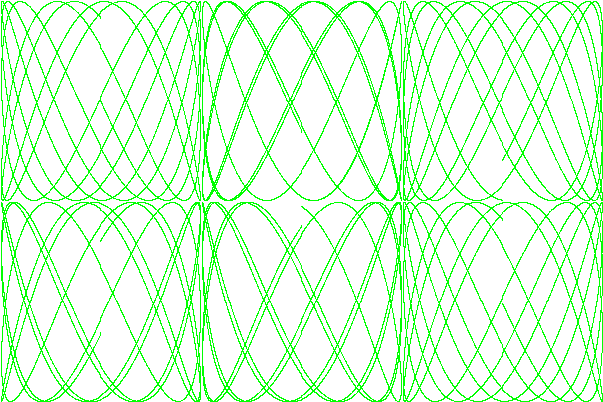
sy1_5# ./a.out >out.gif
1.6
package main
import (
"image"
"image/color"
"image/gif"
"io"
"math"
"math/rand"
"os"
"time"
)
var palette = []color.Color{
color.White,
color.Black,
color.RGBA{0x11, 0x22, 0x33, 0xff},
color.RGBA{0xaa, 0xbb, 0xcc, 0xff},
color.RGBA{0x00, 0xbb, 0x00, 0xff},
color.RGBA{0xff, 0x00, 0x00, 0xff},
color.RGBA{0x00, 0xff, 0x00, 0xff},
color.RGBA{0x00, 0x00, 0xff, 0xff},
}
const (
whiteIndex = 0
blackIndex = 1
color1 = 2
color2 = 3
color3 = 4
redIndex = 5
greenIndex = 6
blueIndex = 7
colorNum = 8
)
func main() {
rand.Seed(time.Now().UTC().UnixNano())
lissajous(os.Stdout)
}
func lissajous(out io.Writer) {
const (
cycles = 5
res = 0.001
size = 100
nframes = 64
delay = 8
)
freq := rand.Float64() * 3.0
anim := gif.GIF{LoopCount: nframes}
phase := 0.0
colorIndex := uint8(whiteIndex)
for i := 0; i < nframes; i++ {
rect := image.Rect(0, 0, 2*size+1, 2*size+1)
img := image.NewPaletted(rect, palette)
for t := 0.0; t < cycles*2*math.Pi; t += res {
x := math.Sin(t)
y := math.Sin(t*freq + phase)
img.SetColorIndex(size+int(x*size+0.5), size+int(y*size+0.5),
colorIndex)
}
colorIndex = uint8(i % colorNum)
phase += 0.1
anim.Delay = append(anim.Delay, delay)
anim.Image = append(anim.Image, img)
}
gif.EncodeAll(out, &anim)
}
sy1_6# ./a.out > out.gif

1.7
package main
import (
"fmt"
"io"
"net/http"
"os"
)
func main() {
for _, url := range os.Args[1:] {
resp, err := http.Get(url)
if err != nil {
fmt.Fprintf(os.Stderr, "fetch: %v\n", err)
os.Exit(1)
}
_, err = io.Copy(os.Stdout, resp.Body)
if err != nil {
fmt.Fprintf(os.Stderr, "fetch: reading %s: %v\n", url, err)
os.Exit(1)
}
resp.Body.Close()
}
}
sy1_7# ./a.out https://www.baidu.com
<!DOCTYPE html>
<!--STATUS OK--><html> <head><meta http-equiv=content-type content=text/html;charset=utf-8><meta http-equiv=X-UA-Compatible content=IE=Edge><meta content=always name=referrer><link
...
sy1_7#
1.8
package main
import (
"fmt"
"io"
"strings"
"net/http"
"os"
)
func main() {
for _, url := range os.Args[1:] {
prefix := "https://"
if !strings.HasPrefix(url, prefix) {
fmt.Println("No prefix, add ", prefix)
url = prefix + url;
}
resp, err := http.Get(url)
if err != nil {
fmt.Fprintf(os.Stderr, "fetch: %v\n", err)
os.Exit(1)
}
b, err := io.ReadAll(resp.Body)
resp.Body.Close()
if err != nil {
fmt.Fprintf(os.Stderr, "fetch: reading %s: %v\n", url, err)
os.Exit(1)
}
fmt.Printf("%s", b)
}
}
sy1_8# ./a.out www.baidu.com
No prefix, add  https://
<!DOCTYPE html>
<!--STATUS OK--><html> <head><meta http-equiv=content-type content=text/html;charset=utf-8><meta http-equiv=X-UA-Compatible content=IE=Edge><meta content=always name=referrer><link rel=stylesheet type=text/css href=https://ss1.bdstatic.com/5eN1bjq8AAUYm2zgoY3K/r/www/cache/bdorz/baidu.min.css><title>百度一下,你就知道</title></head> <body link=#0000cc> <div id=wrapper> <div id=head> <div class=head_wrapper> <div class=s_form> <div class=s_form_wrapper> <div id=lg> <img hidefocus=true src=//www.baidu.com/img/bd_logo1.png width=270 height=129> </div> <form id=form name=f action=//www.baidu.com/s class=fm> <input type=hidden name=bdorz_come value=1> <input type=hidden name=ie value=utf-8> <input
...
sy1_8#
1.9
package main
import (
"fmt"
"io"
"net/http"
"os"
)
func main() {
for _, url := range os.Args[1:] {
resp, err := http.Get(url)
if err != nil {
fmt.Fprintf(os.Stderr, "fetch: %v\n", err)
os.Exit(1)
}
b, err := io.ReadAll(resp.Body)
resp.Body.Close()
if err != nil {
fmt.Fprintf(os.Stderr, "fetch: reading %s: %v\n", url, err)
os.Exit(1)
}
fmt.Printf("%s", b)
status := resp.Status
fmt.Println("Status: ", status)
}
}
sy1_9# ./a.out https://www.baidu.com
<!DOCTYPE html>
<!--STATUS OK--><html> <head><meta http-equiv=content-type content=text/html;charset=utf-8><meta http-equiv=X-UA-Compatible content=IE=Edge><meta content=always name=referrer><link
...
Status:  200 OK
1.10
package main
import (
"fmt"
"io"
"net/http"
"os"
"time"
)
func main() {
start := time.Now()
ch := make(chan string)
for _, url := range os.Args[1:] {
go fetch(url, ch)
}
for range os.Args[1:] {
fmt.Println(<-ch)
}
fmt.Printf("%.2fs elapsed\n", time.Since(start).Seconds())
}
func fetch(url string, ch chan<- string) {
start := time.Now()
resp, err := http.Get(url)
if err != nil {
ch <- fmt.Sprint(err)
return
}
fileName := fmt.Sprintf("%v.txt", start.Nanosecond())
file, err := os.Create(fileName)
if err != nil {
ch <- fmt.Sprint(err)
return
}
nbytes, err := io.Copy(file, resp.Body)
resp.Body.Close()
file.Close()
if err != nil {
ch <- fmt.Sprintf("while reading %s: %v", url, err)
return
}
secs := time.Since(start).Seconds()
ch <- fmt.Sprintf("%.2fs %7d %s", secs, nbytes, url)
}
sy1_10# go build -o a.out
sy1_10# ./a.out https://www.baidu.com https://www.baidu.com
0.08s     2443  https://www.baidu.com
0.08s     2443  https://www.baidu.com
0.08s elapsed
sy1_10# ls
708404000.txt   708408000.txt   a.out           main.go
1.11
1.12
package main
import (
"fmt"
"log"
"net/http"
"sync"
"io"
"math/rand"
"image"
"image/color"
"image/gif"
"math"
)
var mu sync.Mutex
var count int
var palette = []color.Color{color.White, color.Black, color.RGBA{0x00, 0xff, 0x00, 0xff}}
const (
whiteIndex = 0
blackIndex = 1
greenIndex = 2
)
func main() {
http.HandleFunc("/", handler)
http.HandleFunc("/count", counter)
http.HandleFunc("/lissajous", func(w http.ResponseWriter, r *http.Request) {
lissajous(w)
})
log.Fatal(http.ListenAndServe("localhost:8000", nil))
}
func handler(w http.ResponseWriter, r *http.Request) {
mu.Lock()
count++
mu.Unlock()
fmt.Fprintf(w, "URL.Path = %q\n", r.URL.Path)
}
func counter(w http.ResponseWriter, r *http.Request) {
mu.Lock()
fmt.Fprintf(w, "Count %d\n", count)
mu.Unlock()
}
func lissajous(out io.Writer) {
const (
cycles = 5
res = 0.001
size = 100
nframes = 64
delay = 8
)
freq := rand.Float64() * 3.0
anim := gif.GIF{LoopCount: nframes}
phase := 0.0
for i := 0; i < nframes; i++ {
rect := image.Rect(0, 0, 2*size+1, 2*size+1)
img := image.NewPaletted(rect, palette)
for t := 0.0; t < cycles*2*math.Pi; t += res {
x := math.Sin(t)
y := math.Sin(t*freq + phase)
img.SetColorIndex(size+int(x*size+0.5), size+int(y*size+0.5),
blackIndex)
}
phase += 0.1
anim.Delay = append(anim.Delay, delay)
anim.Image = append(anim.Image, img)
}
gif.EncodeAll(out, &anim)
}
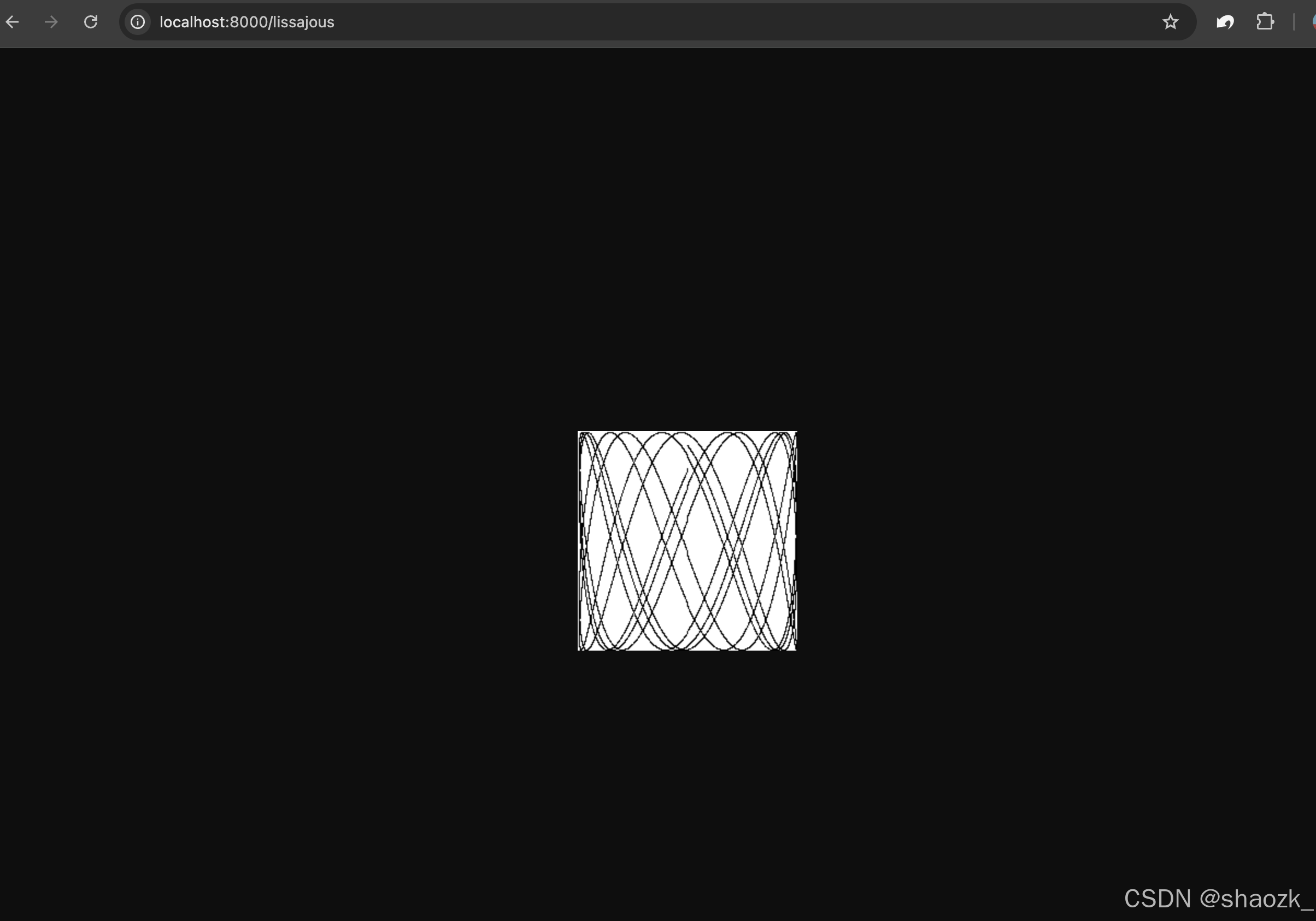
sy1_12# go build -o a.out
sy1_12# ./a.out
总结
- Go语言是一门现代化的语言,从其方便的工具链、简洁的语法规则可得一瞥。